

Working from home offers flexibility, but it can also make it harder to concentrate. Household tasks, notifications, family members, and an unclear work routine can all compete for your attention. The good news is that better focus usually comes from a few simple, repeatable habits rather than a complete change to your daily life.
Use the tips below to create a workday that feels more organized, comfortable, and productive.
Create a Dedicated Workspace
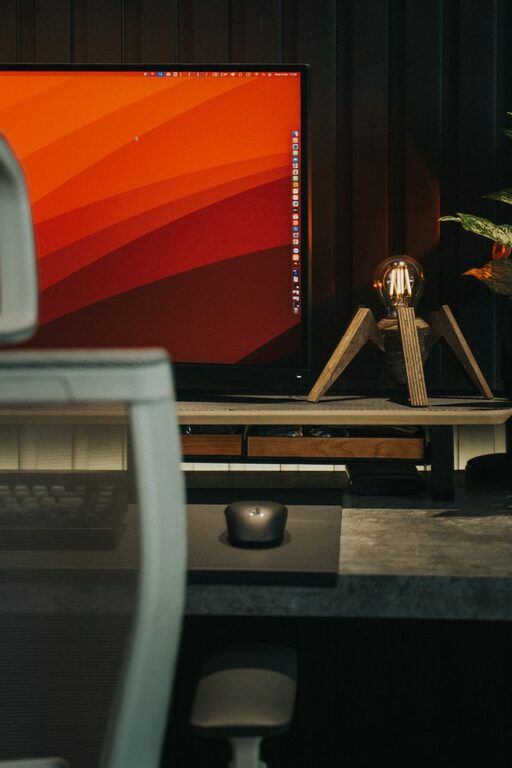
A dedicated workspace helps your mind connect a specific area with work. This does not have to be a separate office. A corner of a room, a section of a dining table, or a small desk can work well if it is used consistently.
Try to keep your workspace:
– Well lit, preferably with access to natural light
– Comfortable and tidy
– Equipped with the items you use most often
– Separate from areas used mainly for relaxation
– Free from unnecessary clutter
At the end of the workday, take a few minutes to clear your desk. A clean starting point can make it easier to begin the next morning.
Set Clear Working Hours
Without a commute or a traditional office schedule, work can easily spread across the entire day. Setting regular working hours gives your day structure and creates a clear boundary between work time and personal time.
Choose a start time and an end time that fit your responsibilities. You do not need to follow a strict schedule every day, but consistency can help you build a reliable routine.
At the beginning of your workday:
- Review your priorities.
- Check your calendar.
- Choose the most important task to complete first.
- Decide when you will take breaks.
When your planned work hours end, close your laptop or leave your workspace if possible. This small action signals that the workday is finished.
Plan Your Top Priorities
A long task list can make it difficult to know where to begin. Instead of trying to complete everything at once, identify two or three important priorities for the day.
A useful daily plan might include:
– One task that requires deep concentration
– One or two smaller tasks that support your main goal
– Time for meetings, messages, and routine work
– A short review at the end of the day
Try to estimate how long each task will take, while leaving some extra time for unexpected requests. A realistic plan is easier to follow than an overly ambitious one.
Work in Focused Time Blocks
Focused time blocks can help you give your full attention to one task. Choose a period that feels manageable, such as 25, 45, or 60 minutes. During that time, work on only one activity. Then take a short break before starting the next block.
For example, you might:
– Work for 45 minutes
– Take a 10-minute break
– Repeat the cycle two or three times
– Take a longer break afterward
The ideal length depends on the task and your energy level. The main goal is to create a clear period when distractions are limited and your attention has one target.
Reduce Digital Distractions
Notifications can interrupt your attention even when you do not respond to them. Each interruption may make it harder to return to the task at hand.
Consider these adjustments:
– Turn off nonessential phone notifications
– Pause personal email alerts during focus periods
– Close browser tabs that are not related to your current task
– Use a separate browser profile for work
– Check messages at planned times instead of constantly
If your work requires communication throughout the day, you can still create short notification-free periods for tasks that require deeper concentration.
Use a Simple Task System
A clear system can prevent you from relying on memory for every responsibility. Choose one place to record tasks, such as a notebook, calendar, or task management app.
Keep your system simple. For each task, record:
– What needs to be done
– When it is due
– The next action required
– Any information or files you need
Break large projects into smaller steps. “Prepare a presentation” may feel difficult to start, while “outline the first three slides” is more specific and manageable.
Review your task list at the beginning and end of each day. Remove completed items and update anything that has changed.
Manage Household Interruptions
Working from home can make you more available to others, even when you are busy. Where possible, explain your working hours and let household members know when you should not be interrupted.
A visible signal can help communicate your availability. For example, you might close a door, wear headphones, or place a small sign near your workspace. Agree on simple guidelines for urgent and nonurgent requests.
It is also helpful to separate work breaks from household chores. Folding laundry or washing dishes may seem like a quick break, but these tasks can turn into a longer interruption. If possible, schedule household responsibilities before work, during a planned break, or after your workday.
Take Regular Breaks
Breaks are not wasted time. Short pauses can help you maintain energy and return to your work with a clearer mind.
During a break, try to step away from your screen. You could:
– Stretch or walk around
– Refill your water
– Look outside
– Prepare a snack
– Take a few slow breaths
– Do a brief household task with a clear time limit
Avoid filling every break with social media or other content that may make it difficult to resume work. A break should help you reset, not create another source of distraction.
Protect Your Energy
Focus depends partly on your physical environment and daily habits. You may find it easier to concentrate when you support your basic needs throughout the day.
Keep water nearby, eat regular meals, and adjust your chair, screen, and keyboard for comfort. If you spend many hours sitting, stand up and move periodically.
Natural light and fresh air can also make your workspace feel more pleasant. When possible, open a window or take a short walk during the day. Small changes can improve how alert and comfortable you feel.
Create a Start and End Routine
Routines reduce the number of decisions you need to make. A short start routine might include making a drink, reviewing your priorities, and opening only the tools needed for your first task.
An end routine could include:
– Checking for unfinished urgent items
– Writing down the next step for tomorrow
– Closing work applications
– Tidying your workspace
– Moving to another area of your home
These routines make transitions clearer and help prevent work from continuing in the background all evening.
Review What Works
Focus habits are personal, so experiment with different approaches. At the end of each week, consider when you worked most effectively and what caused interruptions.
Ask yourself:
– Which tasks received my best attention?
– What distracted me most often?
– Were my work hours realistic?
– Did I take enough breaks?
– What one change would help next week?
Choose one or two adjustments at a time. Whether you change your notification settings, improve your workspace, or plan shorter focus blocks, gradual improvements are easier to maintain than a complete schedule overhaul.
Better focus while working from home comes from creating clear boundaries, reducing interruptions, and working with your natural energy. With a dedicated space, a practical plan, and regular breaks, you can build a routine that supports steady progress without making the workday feel overwhelming.